
What is it?
Once data is collected and uploaded to the data platform, you may want to download it for further analysis or share it with others! There are a few ways to do this, depending on what you need.
Ways to access the data
There are a few different ways you can download and share data from the Water Rangers data platform:
- Download a full dataset or data for a specific location as a CSV file
- Embed live location data directly onto a website
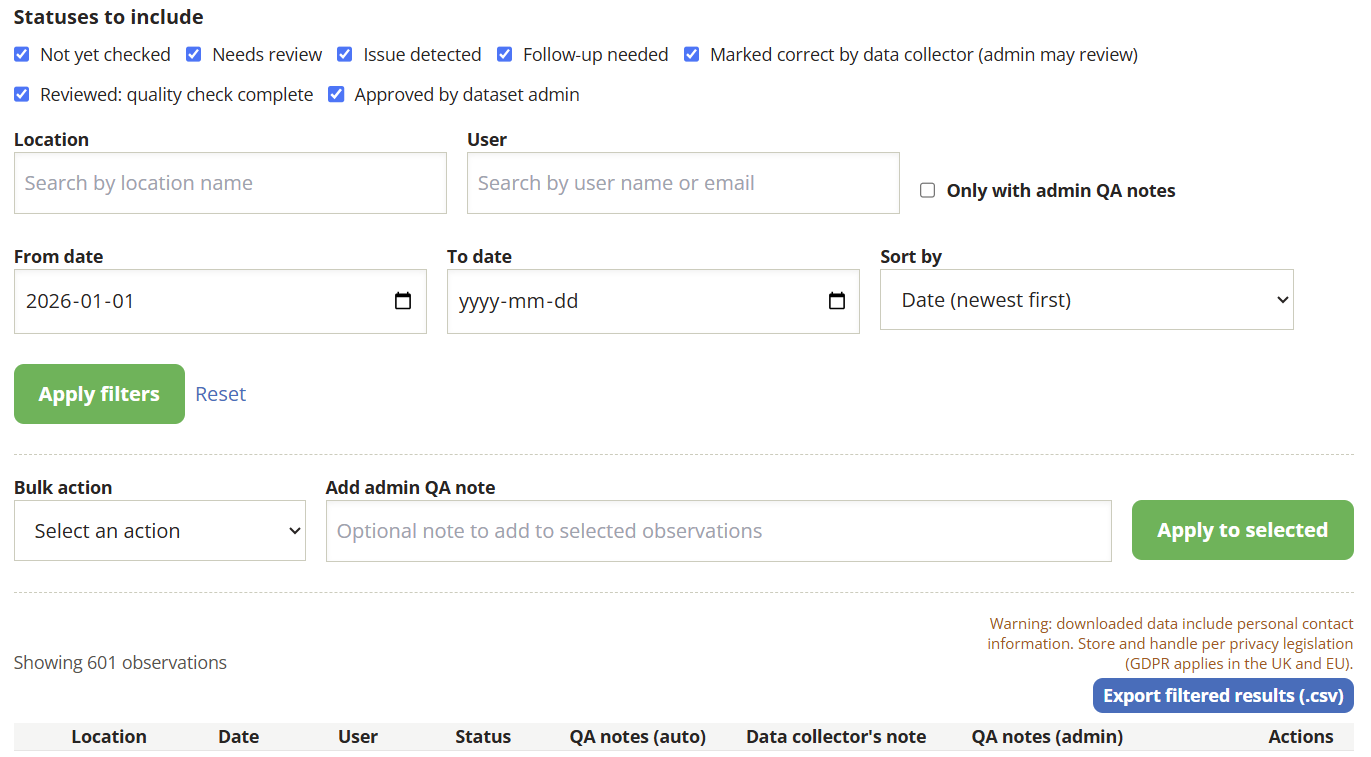
- Dataset administrators can filter data by date, location, and QA status before downloading
- Use our API to pull data directly into your own workflow
- Submit a data request for larger or more complex exports
Why is it important?
Collecting water data is only half the story. For it to make a difference, it needs to be used. When communities, researchers, and decision-makers can access and work with the data your organization collects, it has a much better chance of driving real change for the health of your waterways.
Open, well-attributed data also builds credibility. When someone can see exactly who collected the data, what equipment they used, and how it was gathered, they're more likely to trust it and put it to work. That's what turns a season of monitoring into something that actually matters.
Who is responsible in your organization?
Anyone can share and use the data on our platform! No account is required to access the data, and you don’t need to be part of the organization that collected the data. Just be sure you provide proper attribution to the data collectors using the included source reference.
Attributing the data
All data on the Water Rangers platform is open access. Open data means anyone is free to view, download, and use it without needing an account or permission from the collecting organization. Though you must still include the data source in any references!
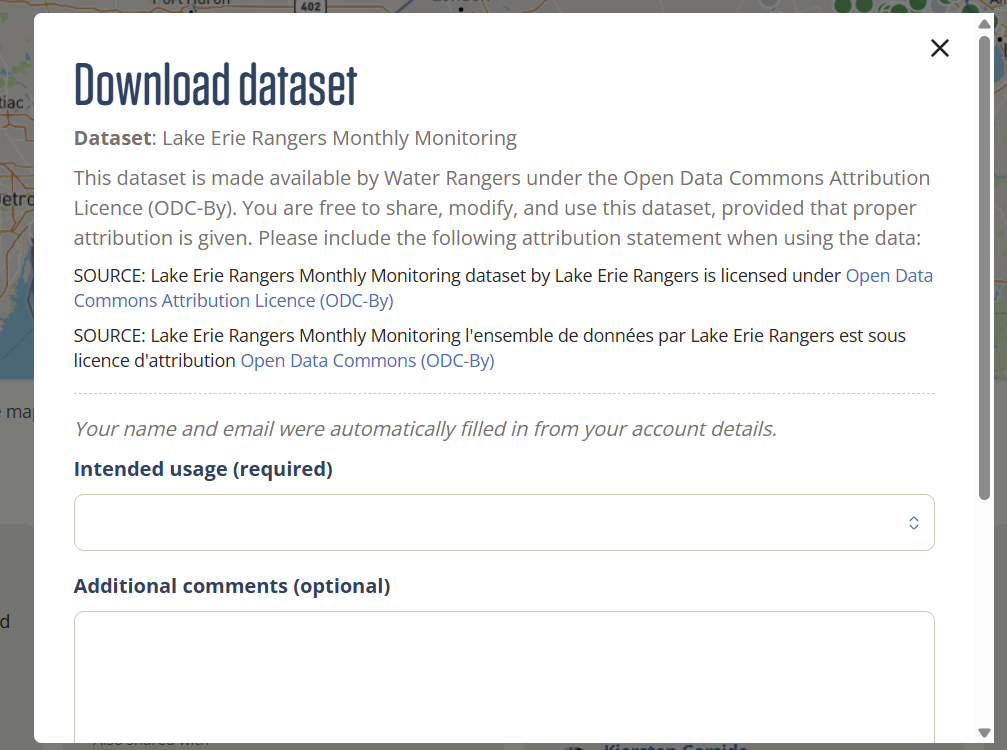
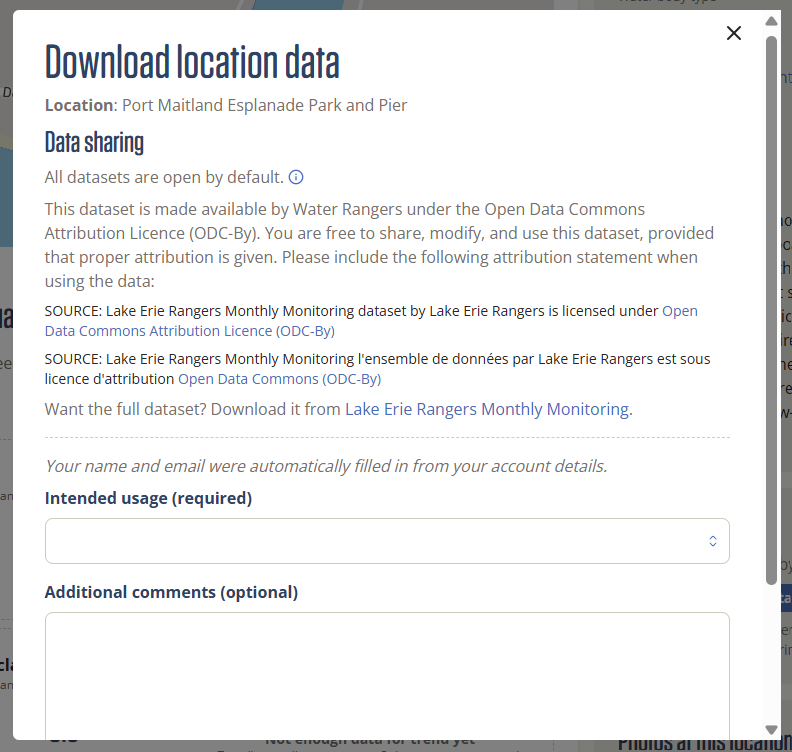
Datasets are made available under the Open Data Commons Attribution Licence (ODC-By), which means you're free to share, modify, and use the data as long as you credit the people who collected it. When you download a dataset, you'll receive a source citation to include in your references.
Example:
- SOURCE: Lake Erie Rangers Monthly Monitoring dataset by Lake Erie Rangers is licensed under Open Data Commons Attribution Licence (ODC-By)
- SOURCE: Lake Erie Rangers Monthly Monitoring l'ensemble de données par Lake Erie Rangers est sous licence d'attribution Open Data Commons (ODC-By)
How do you do it?
If you're a data explorer or contributor
View and download a dataset
Go to our data platform at data.waterrangers.com and browse datasets using the map or search by name.
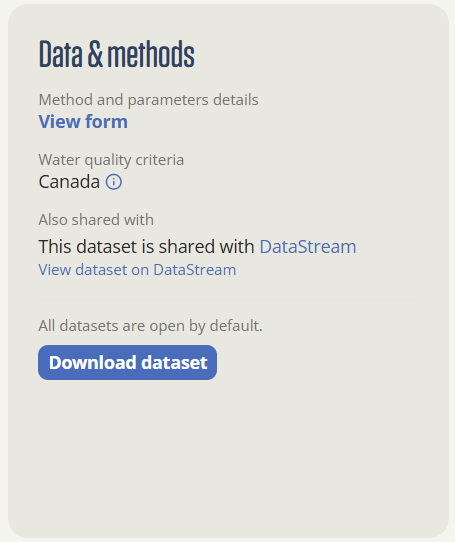
- Open a dataset and scroll to the Data sharing section.
- Click "Download dataset."
- You'll be asked to share a little about how you plan to use the data. This helps collecting organizations understand the impact of their work.
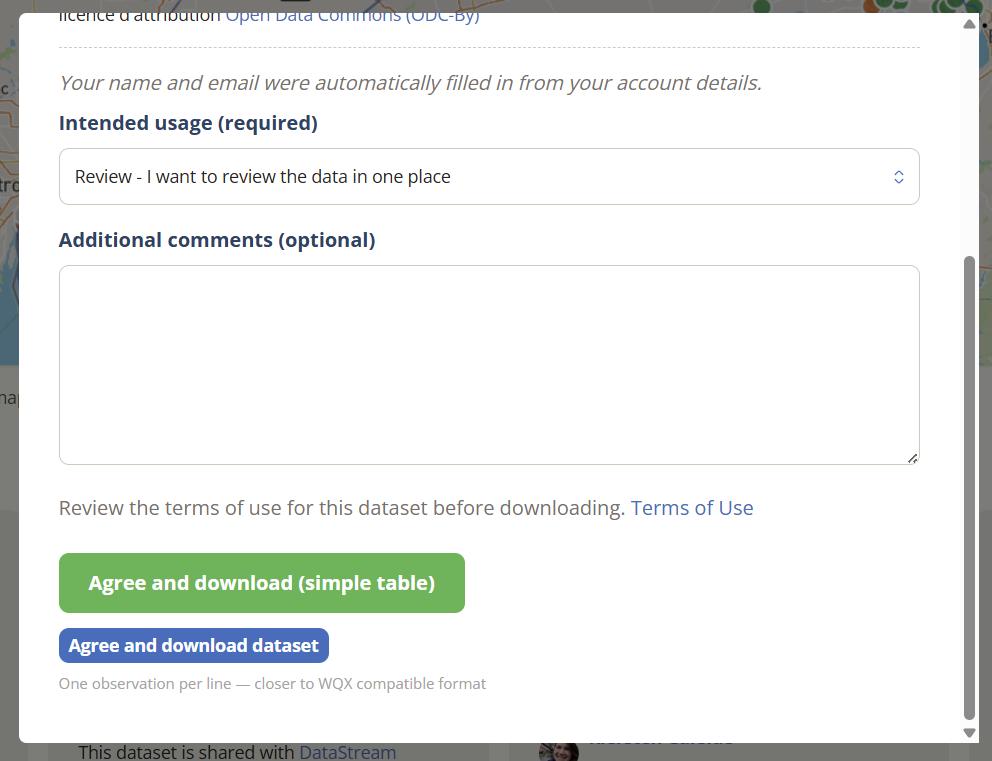
- Data can be downloaded in two formats, both as CSV files. Standard format has one row per reading, which works best for analysis and coding. Simple table has one row per observation, which works best for quick viewing and visualization.
Your data will arrive in your inbox shortly (usually a few minutes)! The email will also include metadata for the dataset.
View and download data for a specific location
While exploring the map, you can download data for a specific location of interest.
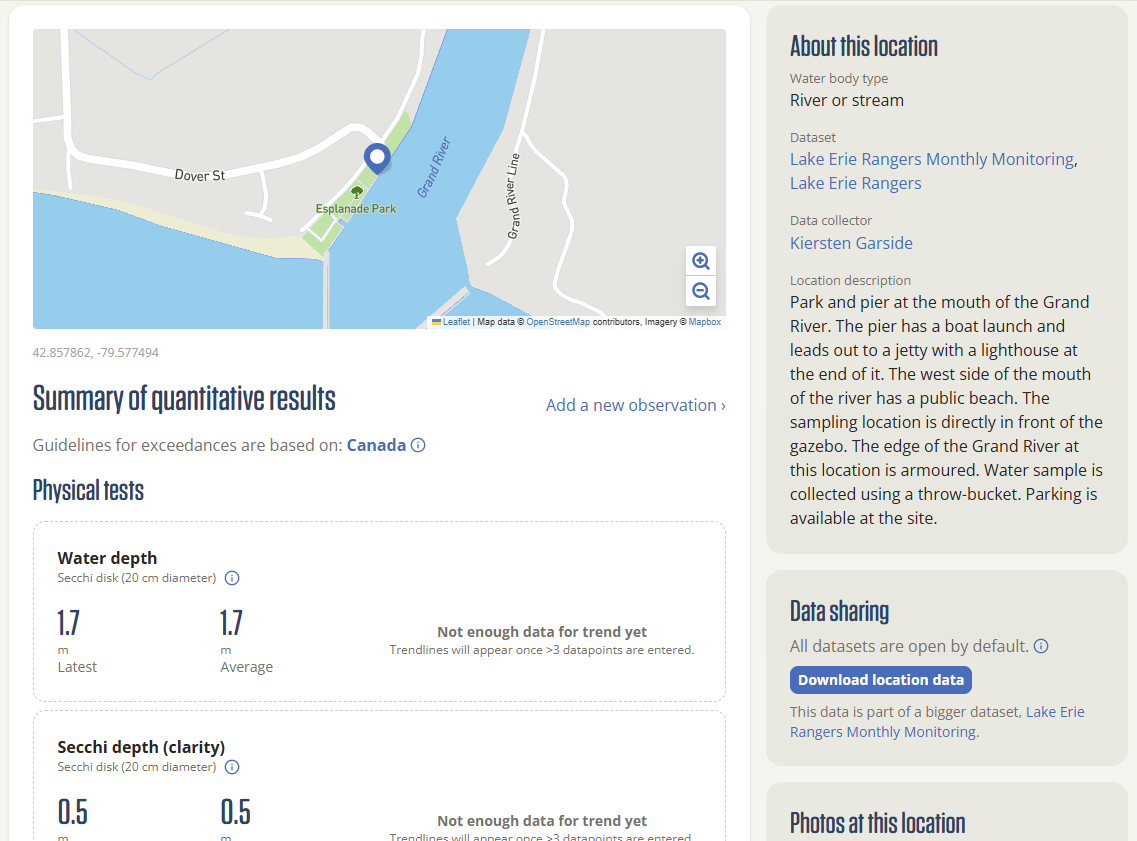
- Open the location page from the map or location list
- Scroll to the Data sharing section
- Click “Download location data”
- Provide a few details about how you’ll use the data
If you're a dataset administrator
Download a subset of data by location or dates
Dataset administrators can filter and export only the data they need using the Data check dashboard. This brings back a much-requested feature from the previous platform.
You can filter by QA status, date range, or location, then export the results as a CSV file.
Embed location data onto your website
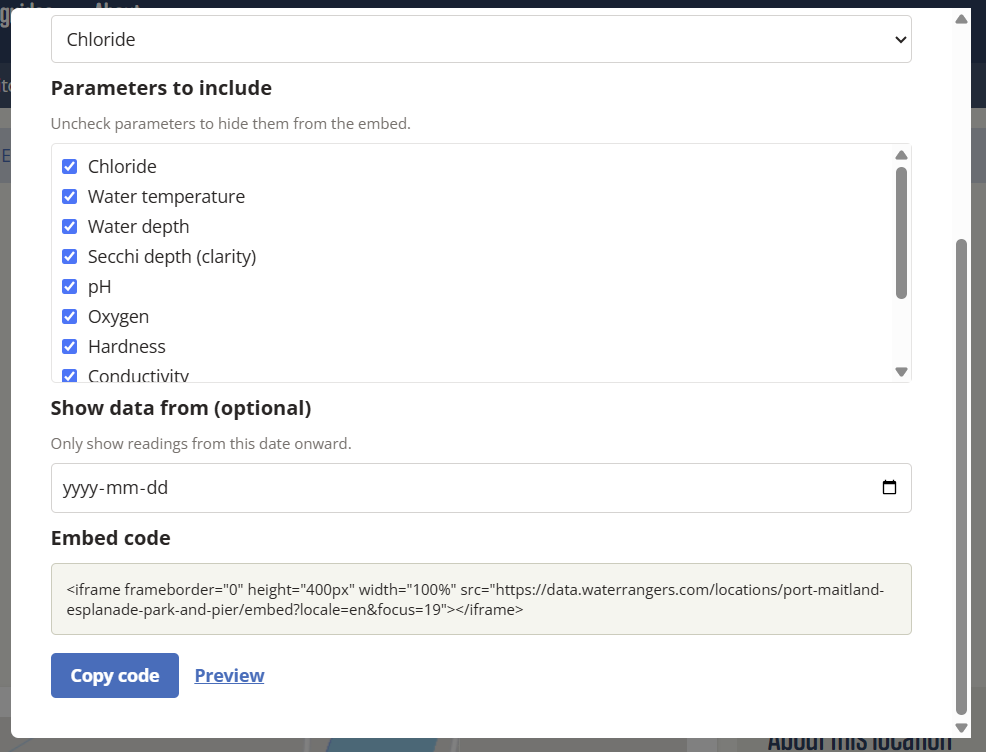
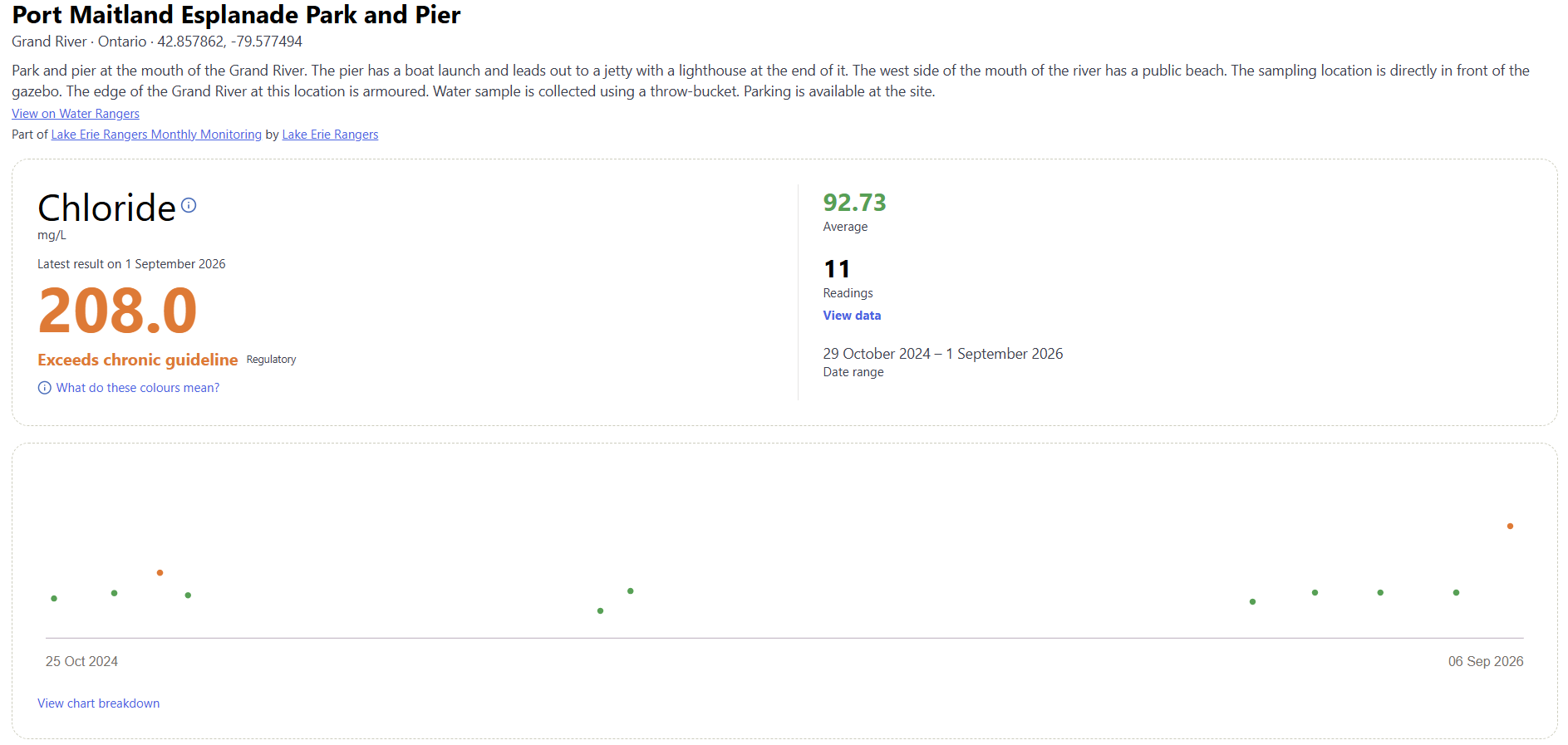
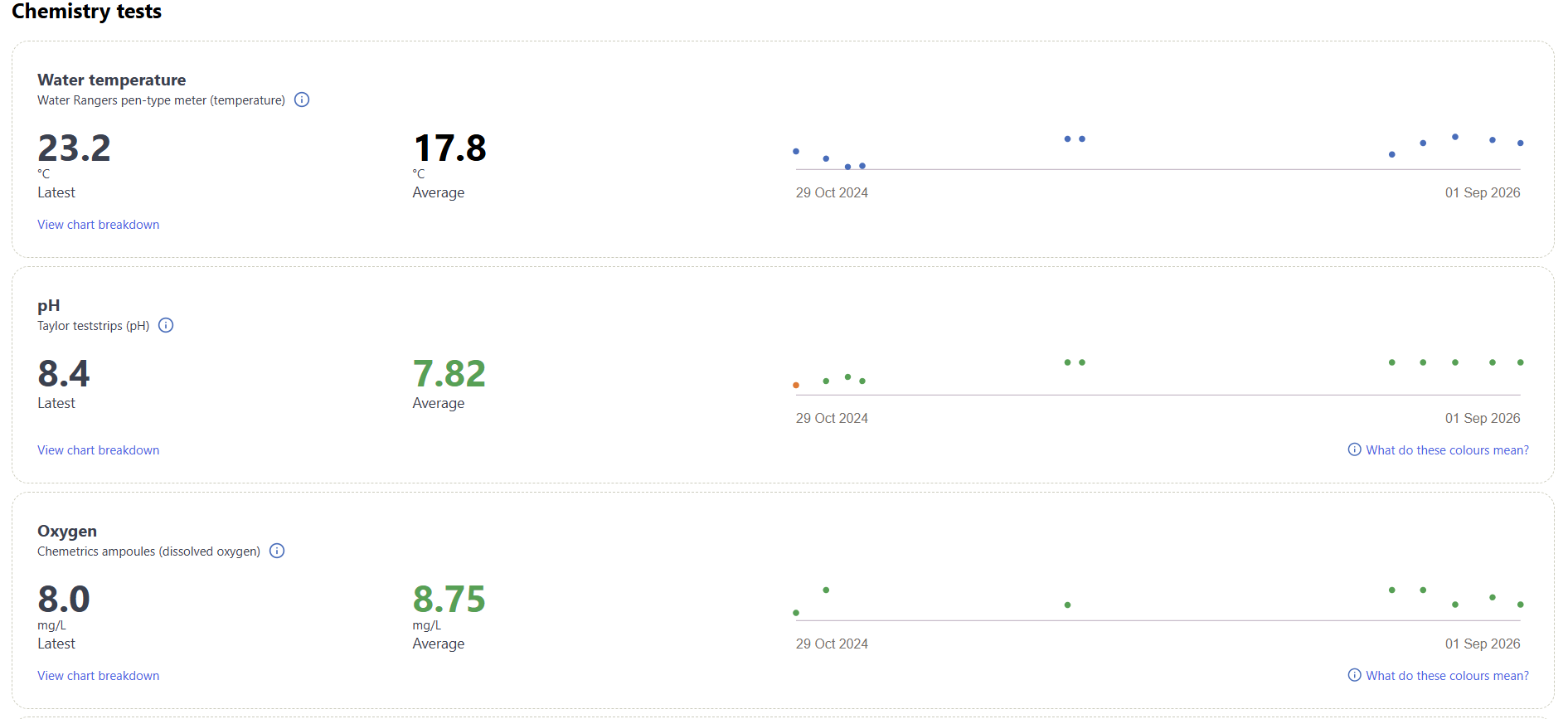
Dataset administrators can embed live data for key locations directly onto their website. The embed updates automatically as new data comes in, making it easy to keep stakeholders in the loop and take action!
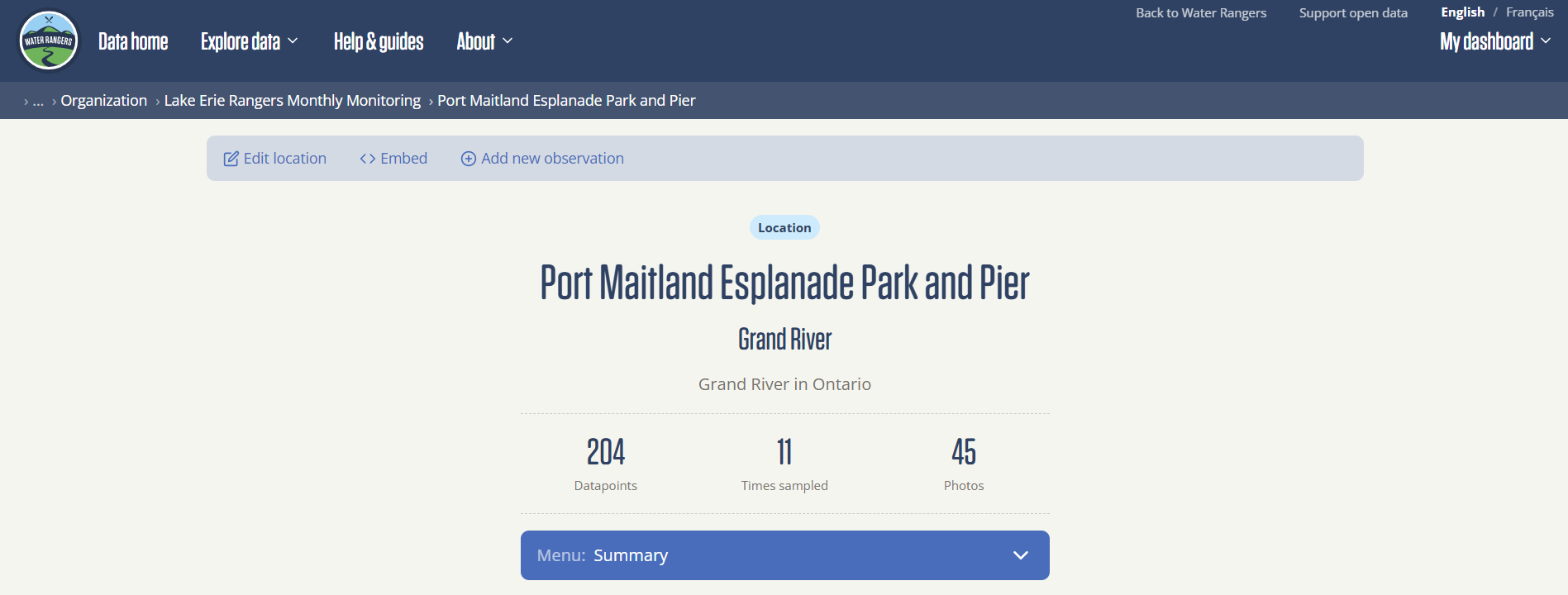
- Navigate to the location page you want to embed.
- Click the < > Embed button at the top of the page.
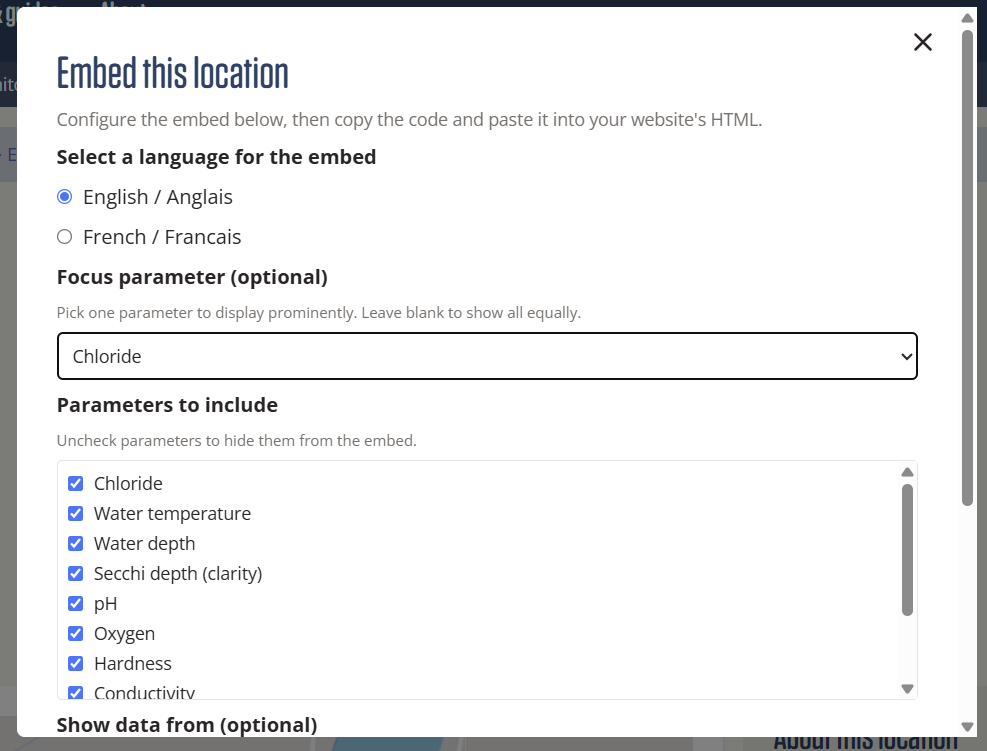
- Update your settings for language, parameters, and date filters.
- Preview the embed to make sure it looks right.
- Copy the embed code and add it to your website.
Embed example
Data requests
If you need a specific subset of data, or data across multiple datasets, you can submit a data request. This option is best for complex requests that can’t be downloaded directly from the platform.
Fill out our data request form, and our team will review it and prepare the data for you.